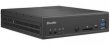
 The novelty by Shuttle – the DH270 barebone system – allows assembling ultra-compact computers, built on the Intel platform.
The novelty obtained the Intel H270 Express logic set based card. Core processors of the Kaby Lake and Skylake gen (LGA 1151) can be installed. The TDP rates should not overcome 65 W. Shuttle DH270 makes it possible to mount the DDR4 RAM memory of the 32 GB capacity, performed in the shape of two SO-DIMM modules.
The mini PC is designed in the 190 × 165 × 43 mm framework with the 1.35 l volume. Inside there is enough space for a 2.5-inch drive with the Serial ATA 3.0 interface and two M.2 modules (like SSD and a Wi-Fi/Bluetooth dual-purpose wireless adapter).
The latest barebone system is equipped with a two-port gigabit network controller and a Realtek ALC662 audio codec. Its front part got headphones and mic jacks, a USB 3.0 Type C and two USB 3.0 Type A ports, as well as an SD cards reader. On the rear of the device one can find four USB …
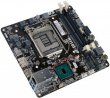 ECS has officially introduced a new mini-STX motherboard, entitled H110S-2P. Featuring 147x140 mm dimensions, the greenhorn is based on Intel H110 chipset for Socket LGA1151 platform. The most peculiar thing about the mainboard is the availability of a full-sized LGA socket which allows for the installation of desktop CPUs (Intel Pentium/Celeron/Core i3/Core i5/Core i7) with the maximal TDP of 65 W.
 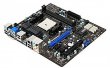 Right after the release of FM2-A75MA-P33 motherboard, MSI has taken a decision to design one more model for AMD Trinity platform. Codenamed MSI FM2-A85XMA-E35, a new model is based on a more efficient chipset – AMD A85X. This motherboard is a typical representative of entry-level solutions, though can boast a number of attractive facilities.
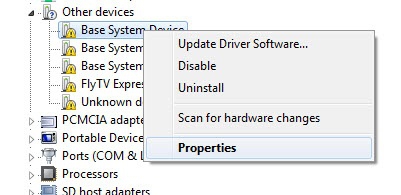 2. Open-install unit -> Details tab
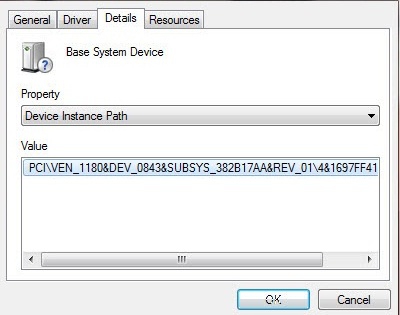 3. Copy the code instance of the device, or press Crtl-C
4. Paste the code found an instance of the device in the search bar "Enter Device Id", or press Crtl-V
5. Click the "Search"
The search result will be a reference to the driver
6. Download the desired (or iterate through the list)
3. Copy the code instance of the device, or press Crtl-C
4. Paste the code found an instance of the device in the search bar "Enter Device Id", or press Crtl-V
5. Click the "Search"
The search result will be a reference to the driver
6. Download the desired (or iterate through the list)